





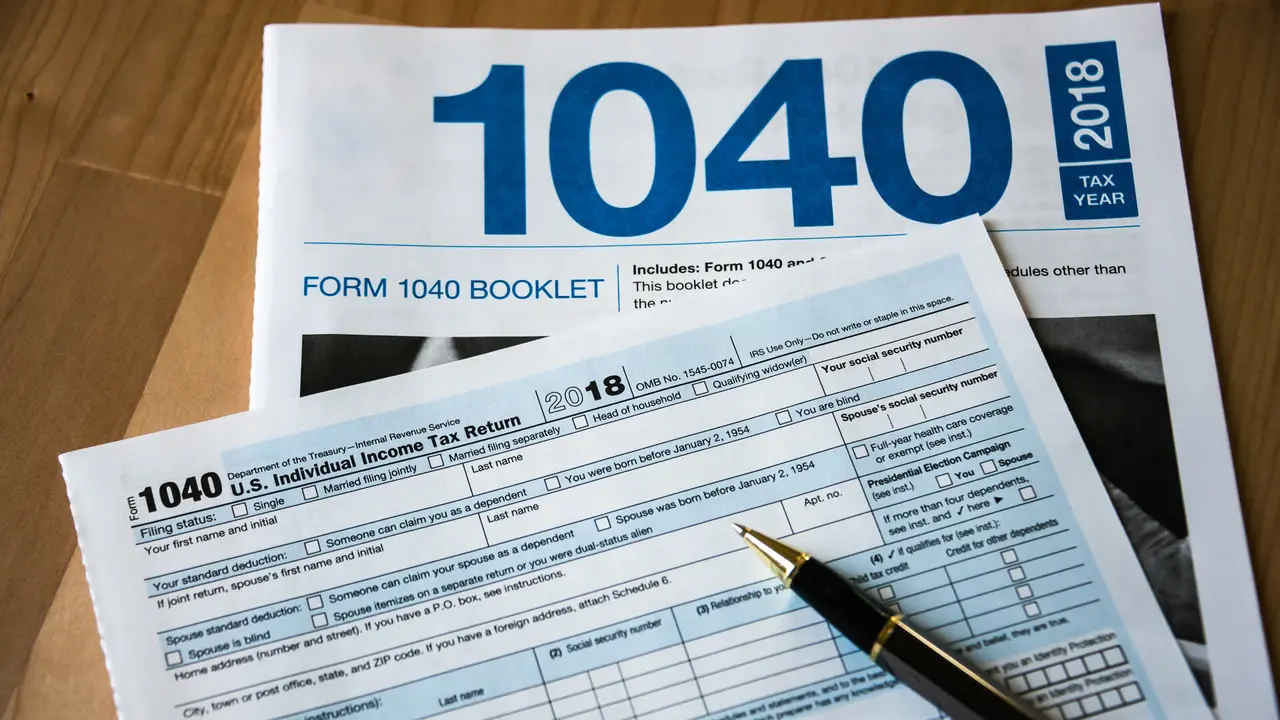


Tax time can be stressful, and for many, the headaches start with trying to figure out which forms to use. Thankfully, since the 2018 tax year, all tax forms have been consolidated into one redesigned 1040 form. Unlike previous years, when taxpayers used multiple forms — such as the 1040EZ and 1040A, depending on their income or deductions claimed — filers will now simply fill out additional schedules on top of the 1040 form.
Read: What Are the 2020-2021 Federal Tax Brackets and Tax Rates?
The Basics: What Is a 1040 Form?
A 1040 tax form lets taxpayers fill out their annual tax return. Taxpayers include information such as their income, deductions and credits using the 1040 form. Your 1040 form will also include:
- Taxable interest on investments
- Child tax credits
- Your standard or itemized deductions
- Additional information gleaned from the Schedules (explained later)
- Refundable credits
- Your direct deposit information (if receiving a refund)
Related: How To Itemize Deductions Like a Tax Pro
What Is a 1040-SR Form?
The 1040-SR is a version of the 1040 for taxpayers age 65 or older that’s easier to read. Although you won’t notice any difference if you file your return electronically, you will see the larger type and slightly altered formatting if you print out the form. The form is otherwise the same as the 1040, and it uses the same schedules and instructions as the 1040.
How To Get a 1040 or 1040-SR Form
You can access and download a blank version of a 1040 via IRS.gov. The 1040-SR is also available on the IRS website. In addition, the site includes instructions for filling out the forms. You might also be able to get 1040/1040-SR forms from:
- Participating local libraries
- Participating post offices
- Local IRS offices
1040 vs. 1040a vs. 1040EZ: What’s the Difference?
In previous years, what forms you filled out depended on a variety of factors, such as income or filing status. Now, taxpayers will only use the new Form 1040 when filing their 2020 taxes.
Form 1040
Previously, 1040s were mandatory if you were self-employed, itemized your deductions, owed household employment tax or had $100,000 or more in taxable income. Now, it’s the standard form everyone will use.
Form 1040A
Form 1040A allowed you to claim certain adjustments not available using Form 1040EZ. For example, Form 1040A was used to file as head of household, which is more advantageous than a filing status of single because it comes with a lower tax rate and a higher standard deduction. You could also claim dependents and take tax credits for child and dependent care, retirement savings, earned income, premium tax and education using Form 1040A. Now, that’s done on the new Form 1040.
As with Form 1040EZ, Form 1040A only applied to you if your taxable income was less than $100,000. Other income requirements for Form 1040A differ from 1040EZ in that they allowed you to include a broader category of income. In addition to wages, salary and tips, for example, your income could’ve also included dividends, pensions, annuities, IRAs and capital gains distributions. These claims are also folded into the new Form 1040.
See: Taxable Income You Must Report To Avoid an IRS Audit
Form 1040EZ
Form 1040EZ was considered the easiest federal income tax form to complete, but it also had the most conditions and restrictions on its use. Here’s a checklist the IRS used to determine qualifying use of Form 1040EZ:
- You file your income tax return with a status of single or married filing jointly.
- Your taxable income is $100,000 or less.
- All of your taxable income comes from wages, salary, tips, interest income amounting to less than $1,500, taxable scholarship and fellowship grants, unemployment compensation or Alaska Permanent Fund dividends.
- On the last day of the tax year, you were under age 65 and you were not blind (this also applies to your spouse if you file jointly).
- You aren’t required to pay household employment tax on household employees’ wages.
- You didn’t become a Chapter 11 bankruptcy debtor.
- Premium tax credits weren’t paid on your behalf or on behalf of your spouse, or on any individual, you enrolled in coverage for whom no one else is claiming the personal exemption.
Whatever your taxable income is now, you’ll use Form 1040 like everyone else.
Don’t Miss: The Major Tax Changes for 2021 You Need To Know About
Which 1040 Form To Use for Your Taxes
Thankfully, now that the IRS has consolidated the 1040 form, you need only one to use for your taxes. However, depending on your filing status, you might be required to fill out additional schedules if you meet certain criteria.
“Many people will only need to file Form 1040 and no schedules,” according to the IRS. Consult the following table to see if you’ll need additional forms:
| Tax Schedules to Use in Addition to Form 1040 | |
| Schedule | Criteria |
| Schedule 1 (Additional Income and Adjustments to Income) |
Use this schedule to report items such as: capital gains, unemployment, compensation, prize or award money, gambling winnings or to claim deductions, such as student loan interest deduction, self-employment tax deduction and educator expenses. |
| Schedule 2 (Additional Taxes) |
Filers fill out a Schedule 2 to report what they owe for the Alternative Minimum Tax or when they need to make an excess advance premium tax credit repayment. This is also where you report self-employment tax. |
| Schedule 3 (Additional Credits and Payments) |
You can use this schedule to claim a nonrefundable credit, excluding the earned income credit, American opportunity credit or additional child tax credit. Ex. the foreign tax credit, education credits, retirement savings contributions credit, residential energy credit. |
| Information accurate as of Jan. 22, 2021. | |
Check Out: Every Document You Need to Defend Yourself During an Audit
The 1040 and Pandemic Relief
The 1040 form for tax year 2020 has some new lines to accommodate payments and credits related to pandemic relief.
The economic impact payments taxpayers should have received — the $1,200 first-round payment and $600 second-round payment — represented advance payments on the Recovery Rebate Credit that was authorized under the Coronavirus Aid, Relief, and Economic Securities (CARES) Ace and the Tax Relief Act. The credit amounts to a dollar-for-dollar reduction in the amount of tax you owe, or a dollar-for-dollar increase in your refund, so you won’t be taxed on the stimulus payments you received. However, the payments reduce the Recovery Rebate Credit you can claim on your tax return.
If you received both rounds of stimulus payments, you won’t receive any additional credit on your tax return. But if you didn’t receive all the stimulus payments you were entitled to, you’ll be able to claim the missing payments as a Recovery Rebate Credit on the 1040. You’ll calculate your credit using the Recovery Rebate Credit Worksheet included with the instructions for Form 1040, and then report the amount of your credit on line 30 of the 1040 form.
Another pandemic-related tax-form change may affect the way you report charitable contributions. Typically, you can only deduct charitable contributions if you itemize your deductions on Schedule A instead of taking the standard deduction. For tax-year 2020, that requirement is waived. You may deduct your eligible cash donations on line 1040 line 10b even if you don’t itemize. The limit for single filers, heads of household, qualifying widow(er)s and married couples filing jointly is $300. The limit for married individuals filing separately is $150.
File Accurate Returns Quickly: TurboTax Free and Paid Options Review
IRS Form 1040 Instructions: How to Fill Out a 1040
The IRS’ own guidelines on filling out a 1040 form span more than 110 pages. Not every bit of information applies to every taxpayer, especially if you’re a single, employed filer. Similarly, not all lines apply to all taxpayers: What figures you enter depends on what forms you receive, which depend on what sort of income you earn, investments you have, dependents you can claim, etc.
GOBankingRates’ line-by-line breakdown will help the process seem less daunting:
- Line 1: Put your income from your W-2 forms, which will include wages, salaries, tips, etc. If you’re filing jointly, also include your spouse’s income.
- Lines 2a/2b: If you received tax-exempt interest from an asset, such as from a municipal bond, enter it on this line using the payer’s 1099-INT or 1099-OID form that you received. If the total is over $1,500, you must also fill in and attach a Schedule B to your forms.
- Lines 3a/3b: Fill out your qualified dividends on line 3a, which should be found in box 1b of Form 1099-DIV. Qualified dividends are eligible for a lower tax rate than other ordinary income, according to the IRS. Ordinary dividends should be found in box 1a of Form 1099-DIV. You must fill in and attach a Schedule B if this figure goes over $1,500 or you received, as a nominee, ordinary dividends that actually belong to someone else.
- Lines 4a/4b: Here you will enter applicable IRA distributions.
- Lines 5a/5b: This is where you enter pension and annuity payments. These can be found on your 1099-R.
- Lines 6a/6b: You’ll enter your Social Security benefits, which can be found in box 3 of Form SSA-1099.
- Line 7: This is where you enter gains or losses from the sale of a capital asset, such stock or bonds. Depending on the circumstances, you might also have to file Form 8949 and/or Schedule D.
- Line 8: Enter any income you have from Schedule 1, line 9.
- Line 9: Add lines 1, 2b, 3b, 4b, 5b, 6b, 7 and 8, and then enter the amount on this line.
- Line 10a/10b/10c: This is where you enter income adjustments from Schedule 1, line 22 (10a) and your allowable charitable contributions, if you’re taking the standard deduction (10b). Add lines 10a and 10b, and enter the amount in 10c.
- Line 11: Subtract line 10c from line 9 to calculate your adjusted gross income, and then enter that amount on line 11.
- Line 12: This is where you enter your standard deduction or your itemized deductions from Schedule A. You’ll find the current standard deduction amounts on page 6 of the 1040 instructions.
- Line 13: Use Form 8995 or Form 8995-A, whichever is appropriate for your situation, to calculate your qualified business income deduction . Per the IRS, eligible taxpayers are generally allowed a deduction up to 20 percent of their qualified business income plus 20 percent of qualified real estate investment trust (REIT) dividends and publicly traded partnership (PTP) income.
- Line 14: Add lines 12 and 13 and enter the result here.
- Line 15: This is where you enter your taxable income, which you’ll calculate by subtracting line 14 from line 11. You’ll use this information later, when you calculate your tax.
- Line 16: Enter your total tax on this line. Common taxes you’ll include here are tax on your taxable income and excess advance payments (premium subsidies) you received for Obamacare health insurance. If your taxable income is less than $100,000, you’ll use the tax table starting on page 66 of the 1040 instructions to find your tax amount. You’ll find instructions for using the tax table following these line instructions.
- Line 17: If you used Schedule 2, for Additional Taxes, enter the amount on this line.
- Line 18: Add lines 16 and 17 and enter the total here.
- Line 19: Here you will fill out any child tax credits you are entitled to, or credit for other dependents.
- Line 20: If you have any amount from Schedule 3, line 7, you will add it to this line.
- Line 21: Add lines 19 and 20 and enter the total here.
- Line 22: Subtract line 21 from line 18 and add the remaining amount on this line. If the amount is $0 or less, enter “-0-.”
- Line 23: Enter any additional taxes, including self-employment tax from Schedule 2, line 10.
- Line 24: Add lines 22 and 23 to calculate your total tax. Enter the amount on this line.
- Line 25: This is where you enter the amount of federal income tax you had withheld, including the amounts shown on your W-2 and 1099 forms.
- Line 26: If you made estimated tax payments or applied amounts from your 2019 return, enter the total amount on this line.
- Line 27: This line is for the earned income credit, if you qualify for one.
- Line 28: Enter your additional child tax credit, if applicable, and attach Schedule 8812.
- Line 29: If you qualify for an American opportunity credit from Form 8863, line 8, enter it here.
- Line 30: If you didn’t receive the full first- and second-round coronavirus stimulus payments you were entitled to, this is where you’ll enter the amount of the credit you’re still owed.
- Line 31: Use this line to enter the amount from Schedule 3, line 13, if applicable.
- Line 32: Add lines 27 through 31 to calculate your other payments and refundable credits, and then enter the total on this line.
- Line 33: This line is for your total payments. Calculate the amount by adding lines 25d, 26 and 32.
- Line 34: This is the first line of the Refund section. You’ll use this line to enter your overpayments, if applicable. To figure out whether you have overpayments, and if so, how much, compare the amounts on lines 33 and 24. If line 33 is larger, subject line 24 from line 33. This is your overpayment.
- Line 35a/35b/35c/35d: If you have an overpayment from line 34 and you want it refunded to you, enter it here. Lines 35b through 35d ask for your bank account information so the money can be direct-deposited into your account[x].
- Line 36: Rather than have your overpayment refunded to you, you can apply some or all of it to your 2021 estimated tax. Use this line to indicate how much, if any, you’d like to apply.
- Line 37: This is the first line in the Amount You Owe section. You’ll calculate that by subtracting line 33 from line 24. This is the amount you owe now, and you’ll enter it here.
- Line 38: Fill out your estimated tax penalty on this line. Per the IRS’ instructions, you might owe a tax penalty if:
- Line 37 is at least $1,000 and it is more than 10% of the tax shown on your return, or
- You didn’t pay enough estimated tax by any of the due dates. This is true even if you are due a refund.
Here’s When to Expect That Check: When Will You Get Your Tax Refund?
How To Use the Tax Table
The Tax Table is the IRS’ gridded table that lets you figure out how much tax you owe based on your income and filing status. The two leftmost columns have a range (lower and upper amount) of taxable income. Each of the four columns to the right has a filing status. First, find the taxable-income range — $47,000 to $47,050, for example — that corresponds with the taxable income you entered on line 15. Then follow that row to the right to find the tax amount listed under your filing status. In this example, the tax for a single filer earning $47,025 would be $6,136, according to the 2021 table.
Feeling Overwhelmed? See: Best Ways to Get Free Tax Help
You can also refer to the IRS’ own instruction manual when filling out your 1040. Additionally, the IRS offers certain tools, such as the Tax Withholding Tool, to help taxpayers figure out how much they owe — or are refunded.
More From GOBankingRates
- These Are the Best Banks of 2021 – Did Yours Make the Cut?
- 10 Simple Habits of Money-Smart Individuals
- Top 100 Banks Leading the U.S. in 2021
- Tips To Keep Your Finances in Order Without Sacrificing What You Want
Sean Dennison contributed to the reporting for this article.
Last updated: Feb. 1, 2021