Using Google Finance to Follow Stocks
 Written by
Brian Hill
Written by
Brian Hill
Commitment to Our Readers
GOBankingRates' editorial team is committed to bringing you unbiased reviews and information. We use data-driven methodologies to evaluate financial products and services - our reviews and ratings are not influenced by advertisers. You can read more about our editorial guidelines and our products and services review methodology.

20 Years
Helping You Live Richer

Reviewed
by Experts

Trusted by
Millions of Readers
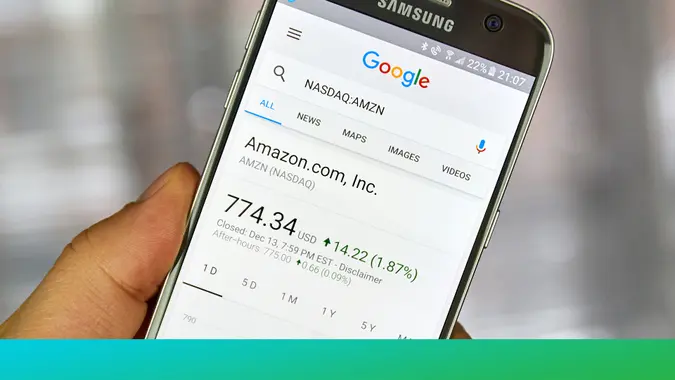
Stocks are a financial instrument that represents a partial ownership of a publicly traded company. Google Finance offers a free, easy way for an investor to track stocks. With real-time stock quotes, up-to-date financial news and investor tools, Google Finance is a great way to monitor your portfolio and the stock exchange. Follow these steps to use Google Finance to track stocks and investments:
1. Go to Google Finance
Google Finance offers financial news, stock market data, and stock news and analysis for free. Go to the main Google Finance page, where you’ll find information about the markets, current financial news and more.
2. Log Into Google
Although you can get data on the stock market, money news and more without logging in, Google Finance allows users who are logged in to save portfolios and lists of stocks. That makes tracking an investment much easier.
3. Create a Portfolio
Click “Portfolios” to start creating a portfolio. You can create one or several portfolios to help with your investing goals and tracking. Click the “Create New Portfolio” button to create different portfolios.
4. Add Stocks to Your Portfolios
To add a stock to your portfolio, type the stock symbol into the blank field next to “Add symbol.” If you don’t know the stock symbol, just type the company name into the field. Google Finance will automatically look up the stock symbol and even offer suggestions as you type. Click “Add to Portfolio” when you find the correct stock.
Find Out: 11 Things Every Investor Should Know About the Dow Jones Industrial Average
5. Manage Your Portfolios
Click on a specific portfolio to view information about the stocks contained in it. You can add and delete stocks to keep a current list of what you own or are tracking for future transactions.
6. Check Stock Data
Once a stock is part of the portfolio, you can click on the stock name or symbol to get additional detail such as stock charts. Google Finance stock quotes appear in real time automatically next to each stock entered. The quotes are updated live throughout the day when the financial markets are open.
Learn: How to Read Stock Charts in Less Than a Minute
7. Enter Trade Data
To track actual stocks and portfolios that you own, you need to enter transaction data. Click “Edit Transactions” to input data from transactions, such as when you buy and sell stocks. For stocks you currently own, enter the date of purchase, number of shares, the price or amount, and commission amount.
Google Finance will track your unrealized gain or loss in real-time as stock prices fluctuate throughout the day. When you sell a position, enter that, and Google Finance will remove the position from your portfolio while continuing to keep track of your overall profit/loss and rate of return.
Related: Find the Best Brokerage Account for You
8. Track Performance
Click “Performance” to see how your individual investments are doing. If you have entered your transaction data, Google Finance will show the change in your investment price, as wells as your gain in dollars, as a percentage, and for that specific day. On the right, you can also track your overall return.
9. Follow Stock News and Research
Clicking on the name of a stock in your portfolio brings up data on that stock. Typically, you’ll see the current price and stock information data, such as the daily range, the 52-week high low, the opening price and so on. You will also see a stock chart showing the stock’s price over a time frame. Down below, you can find recent stock news from sources like Bloomberg or Yahoo Finance.
10. Follow the Markets
Click “Markets” to see what’s happening in the world of finance and what kind of news is moving stock prices. Investing is about more than just specific stocks. Trends and macroeconomic news can move individual stock prices just as much as company-specific news.
Keep Reading: 9 Safe Stocks for First-Time Investors