Freelancers: This Is How To Claim All Your Business Deductions in 2026
 Written by
Gabriel Vito
Written by
Gabriel Vito
 Edited by
Rebekah Evans
Edited by
Rebekah Evans
Commitment to Our Readers
GOBankingRates' editorial team is committed to bringing you unbiased reviews and information. We use data-driven methodologies to evaluate financial products and services - our reviews and ratings are not influenced by advertisers. You can read more about our editorial guidelines and our products and services review methodology.

20 Years
Helping You Live Richer

Reviewed
by Experts

Trusted by
Millions of Readers
Freelancers can lose thousands in tax savings simply by overlooking deductions they are entitled to claim. With self-employment tax reaching 15.3%, per the IRS, every legitimate expense matters.
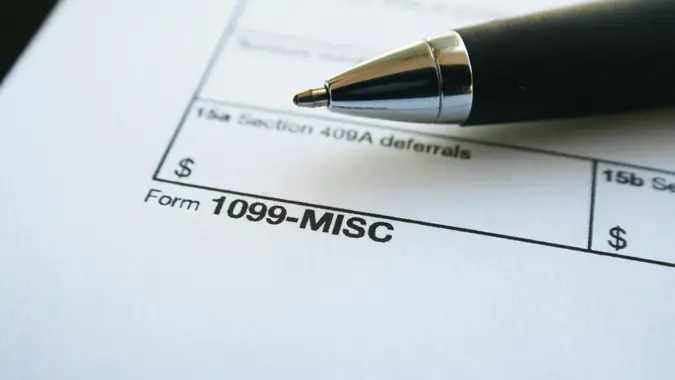
“I’ve found freelancers often don’t know they own a business,” said Gene Bott, certified public accountant (CPA), tax advisor and partner at Tax Hive. “They often get 1099s and turn them into their tax professional, unaware that they can claim all sorts of deductions.”
Here is how to claim the deductions you are entitled to.
Treat Your Freelance Work Like a Business
If you receive 1099 income, the IRS considers you self-employed. That means you can deduct ordinary and necessary expenses related to earning that income. Adopting an ongoing business frame of mind helps you recognize eligible expenses and report them correctly on Schedule C.
Build a System To Track and Separate Expenses
Claiming deductions starts with identifying your business expenses. Common examples include home office expenses, internet and phone service, software, equipment, mileage and professional services. Some of the most valuable and commonly missed deductions include the home office deduction, which can be calculated using either the simplified or actual expense method, self-employed health insurance premiums, retirement contributions such as a SEP IRA or Solo 401(k) and contributions to a health savings account if enrolled in a qualifying high-deductible plan.
Using bookkeeping software like QuickBooks or Xero, expense-tracking apps like MileIQ or a dedicated business bank account can simplify this process and create a clear record if your return is ever questioned. Organized records also make it easier for an accountant to identify deductions you might otherwise miss.
Keep the Documentation the IRS Requires
Proper documentation is what makes deductions legitimate.
“First and foremost, documentation is key,” said Jeffrey Schneider, enrolled agent (EA) at SFS Tax & Accounting Services. “You need to have a receipt of a letter to take a deduction. Even if you use an accounting program or a spreadsheet, the numbers you enter are meaningless to the IRS unless their are [sic] something to back it up.”
Bank and credit card statements can support your records, but they may not show what was purchased. Receipts, invoices and digital confirmations provide stronger evidence.
Reconstruct Expenses If You Did Not Track Them
If you did not keep complete records, you may be able to reconstruct some expenses using credible evidence such as emails, photos or vendor listings. However, certain categories, including travel, meals and vehicle expenses, require strict substantiation and generally cannot be estimated without proper records.
File Accurately and Review Your Deductions
When filing your return, report income and expenses on Schedule C and deduct only the business portion of shared costs. If you work with an accountant, providing organized records and clear documentation helps ensure your deductions are accurate and defensible. You remain responsible for the information reported on your return, so maintaining good records is essential.
More From GOBankingRates