9 Things We Buy and Never Use, According to George Kamel
 Written by
Ashley Donohoe
Written by
Ashley Donohoe
 Edited by
Jenna Klaverweiden
Edited by
Jenna Klaverweiden
Commitment to Our Readers
GOBankingRates' editorial team is committed to bringing you unbiased reviews and information. We use data-driven methodologies to evaluate financial products and services - our reviews and ratings are not influenced by advertisers. You can read more about our editorial guidelines and our products and services review methodology.

20 Years
Helping You Live Richer

Reviewed
by Experts

Trusted by
Millions of Readers
Statista Consumer Insights data showed that 49% of Americans had cut back on their spending between October 2024 and September 2025.
An easy way to do this without giving up essentials is to rethink the items you’re splurging on, as they may be hurting your budget and cluttering your space.
In a recent YouTube video, money expert George Kamel reacted to a Money Talks News list of digital and physical things that people buy and never use. Here are nine purchases that are often best to avoid, along with smart money-saving moves you can make instead.
1. Online Subscriptions
It’s easy to sign up for a free trial and forget to cancel or keep paying for online subscriptions that you got bored with months ago. These include not only streaming services but also things like digital newspapers, online classes and software subscriptions.
To stop wasting money, consider the minimalist approach Kamel discussed and cancel online subscriptions that go unused for 30 to 90 days. You can check your monthly statements, phone’s app store and email accounts to identify old subscriptions.
2. Extended Warranty Plans
While they seem practical, extended warranty plans on gadgets, appliances and other items often don’t pay off. Even if your item does break, these warranties can have fine print and restrictions and sometimes do a better job of making the company money than helping you.
“Just put some money aside to cover or replace that thing in the future or make the repair on it,” Kamel said.
It’s also wise to research and choose products known for their quality and generous warranties. Plus, some retailers, including Costco, extend the manufacturer’s warranty on certain products for free.
3. Expensive Exercise Equipment
A fancy new exercise bike or treadmill might seem like a good motivator that finally gets you to work out. But actually exercising enough to make your purchase worth it isn’t always easy.
Kamel said he’s learned this lesson with his unused stair stepper and weight bench at home. Consider opting for free or cheap options, such as going for a jog or purchasing used equipment. You can always upgrade once you’ve built up an exercise habit.
4. Unnecessary Baby Items
BabyCenter found that parents could spend over $20,000 on their baby over the first year. While you can’t skip the expensive essentials, some parents splurge on unnecessary things like designer baby clothing, baby wipe warmers and baby food makers.
Take Kamel’s advice to stick with the necessities so you’ll spend less and avoid cluttering your house. Shop for deals on what you need and save the extra money for your baby’s future, including their college education.
5. Cookbooks
You might buy some cookbooks with plans to make creative dishes for your family. But if you’re like many people, you’ll let those books collect dust and instead find recipes online.
“I own probably six or seven cookbooks against my will, and I have never cracked them open, but they are beautiful,” Kamel said.
Sticking with free online recipes is better for your budget and space. Kamel added that ChatGPT is another great way to get recipes if you’d like to avoid annoying ads on websites.
6. Planners and Journals
The value for some purchases depends on the type of person you are. If you’re someone who often turns to digital tools like Google Calendar or your phone’s calendar app, physical planners and journals will probably go to waste, so save your money.
Otherwise, Kamel wasn’t against going with the analog version. You might find that using a physical journal or planner is less distracting and helps you be more productive.
7. Single-Use Kitchen Appliances
When investing in appliances, you should choose quality items you’ll use regularly. While that cotton candy machine, popcorn kettle or cake pop maker might seem cool, the novelty likely won’t last, and you’ll have spent money on something that just gets dusty.
Having purchased several single-use gadgets, Kamel suggested, “If you do need it once, see if you can borrow it from someone who does have it, and if you can’t borrow it, see if you can buy used from Facebook Marketplace.”
8. Travel Accessories
It’s easy to get caught up in the excitement of planning your vacation and splurge on single-purpose travel accessories you don’t need. These could include fancy luggage, passport covers, travel books, sophisticated toiletry bags and travelers’ money belts.
Instead, stick with practical items that make sense for your destination and minimize your costs. In a blog post, Kamel included carry-on bags, packing cubes, free travel apps, mobile chargers, reusable water bottles and travel pillows among his smart picks for travelers.
9. Souvenirs
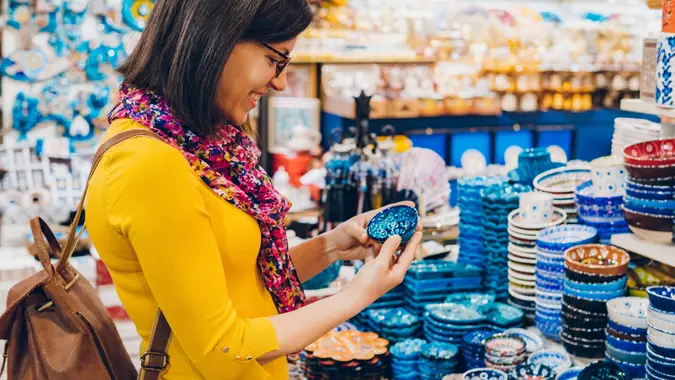
Whether it’s a $35 T-shirt, $5 magnet or $20 coffee mug, souvenirs are a common money pit for travelers. These items can be fun, especially for kids, but there’s also a good chance you won’t use them much once you get home.
“Now that I’m a grown adult, I find that the photos and memories, the experiences, that’s where I’d rather spend my money — I don’t need more clutter,” Kamel said.
More From GOBankingRates