How Hackers Are Using AI To Steal Your Bank Account Password
 Written by
Hiba Boutary
Written by
Hiba Boutary
 Edited by
Cory Dudak
Edited by
Cory Dudak

Commitment to Our Readers
GOBankingRates' editorial team is committed to bringing you unbiased reviews and information. We use data-driven methodologies to evaluate financial products and services - our reviews and ratings are not influenced by advertisers. You can read more about our editorial guidelines and our products and services review methodology.

20 Years
Helping You Live Richer

Reviewed
by Experts

Trusted by
Millions of Readers
Information theft is far from a novel issue. Since the internet exploded in the early 2000s, hackers have taken advantage of security loopholes to infiltrate devices and siphon vital information that puts your finances and safety at risk.
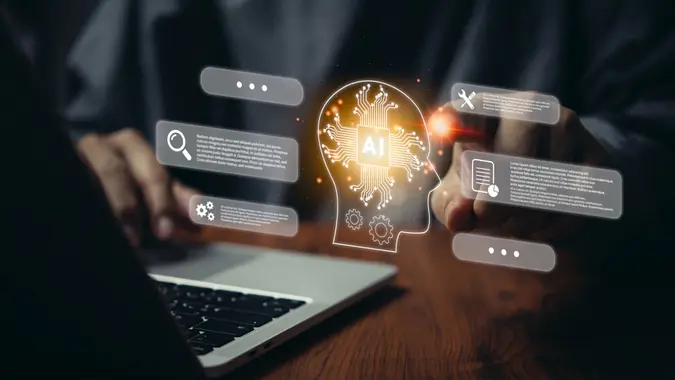
But a recent study released in August highlights a chilling new way hackers use AI to steal your bank account password: it listens to you typing. And it’s over 95% accurate.
How Hackers Steal Your Passwords
Cyberattacks happen once every 39 seconds and cost Americans $6.9 billion annually. However, the problem is growing with AI technology’s rapid development and widespread use.
Although Americans are more wary of scams and suspicious links that allow hackers to access their devices, AI is making it harder to avoid identity theft because compromising your device is no longer required.
According to the study, hackers now use acoustic Side Channel Attacks, or SCAs, to interpret sound signals from your keyboard strokes to get your password. They used MacBook Pro 16-inch laptops to conduct their study and successfully gathered this data using a smartphone, a Zoom call, and deep learning technology.
SCAs collect and interpret signals emitted by devices, including electromagnetic waves, electricity consumption, and the sounds from your keyboard. It then analyzes them and can infer the correct keys you are using.
More Technology, More Problems
There are many ways to “hear” the strokes coming from your keyboard. Examples from the study include microphones, Voice Over Internet Protocol (VoIP) calls, and smartwatches. If you are on a Zoom call with multiple people, you may not be aware that someone is using deep learning tech to analyze your keystrokes and gather information.
With all the benefits of new technology and society’s heavy reliance on WFH meetings after the pandemic, this study highlights the dark side of the AI coin, potentially placing millions of people at risk.
And because people are less aware of how their keyboard strokes may leak their information, they may be more prone to hide their screens instead of reducing the noise from their keyboards to stay safe.
Buying a new, quieter keyboard won’t do the trick either, as the program could still detect even barely audible typing sounds with 90% accuracy.
How To Protect Yourself Against Password Theft
The research study, while alarming, gives cybersecurity experts greater insight into how hackers use burgeoning technological developments to use information.
Armed with these findings, they can assess how they work, what the source of the problem is, and develop counter strategies to prevent them from wreaking havoc with people’s data.
In the meantime, you can still take several steps to protect your bank account information and devices to decrease the likelihood of hackers stealing your information.
Report Suspicious Links
One of the ways you can prevent issues from happening is to make sure your device is secure – including your microphone. Hackers can install malware on your laptop or smartphone that activates your microphone without your consent or knowledge.
To prevent this from happening, always make sure that you report suspicious links that you receive, whether they are text messages, links in your DMs, or email phishing scams.
Upgrade Your Password Strategy
A strong password significantly decreases the likelihood of becoming a hacker’s next victim. It should look like “ejYB%7&^4@0*52@N4Hqm#” instead of “happyjoy111.”
But it is not just the strong password that does the trick. If you want to stay on top of your digital security, change your password every three months or less if you manage multiple accounts, work in finance, or are a victim of identity theft.
Enable Two-Factor Authorization
Two-factor authorization reduces the chances of a random hacker accessing your information because the platform uses multiple ways to verify that the right person is trying to log into your account.
You need to enter the correct password and receive a code or link through email or text that adds an extra layer of protection when you sign in.
Companies often lock your account if the hacker makes multiple attempts to get your information and send you an alert. If you receive one, immediately decline any request to access your account and contact your bank or financial institution.
Turn On All Alerts
Online banking allows you to turn on alerts on your phone or email when a transaction happens with one of your cards. Some people do not want the constant alerts every time they purchase, but disabling them is an expensive mistake.
Turn on email and text alerts for your accounts and monitor them frequently. Hackers sometimes start with a microtransaction that you may overlook to test the waters. Once they know there is money in the account, they may move on to larger purchases, exposing you to credit issues or troubles with your bank.
Update Your Devices Whenever Possible
Updates are essential to stay on top of your device’s security. These updates may be inconvenient during work hours, but you can schedule them without using your device.
Whether you use a smartphone or a desktop/laptop, these updates contain security patches that reduce the likelihood of phishing and malware.
Monitor Login Activity
Multiple platforms nowadays allow you to see the most recent logins to your accounts and where they come from. Sometimes, websites may also email you if a new browser and IP address accesses your account.
These invaluable features help decrease the chances of a hacker stealing your information. If you notice a suspicious login, you can block that IP or browser by clicking “log off on all devices” if that option is available.
If you see logins from one or multiple locations you never visited, that is an immediate red flag that someone successfully guessed your password. Once you see this activity, report it and change your credentials on the spot.
Stay Vigilant When It Comes To Your Information
When it comes to your information, remember that hackers can work with very little to take a whole lot. Keep your information private and avoid using public networks to engage in banking activities. Don’t put your personal information online, and avoid social media posts that ask what your mother’s name is, what year you were born, and your favorite color.
While they may seem benign, hackers use this information to guess passwords, and they ask these questions in ways that people may not guess is a loophole to getting information.
Key Takeaways
The world of AI is indeed ushering in unprecedented advancements in virtually every sector. But it is simultaneously posing significant risks, like being able to guess your password by listening to your keyboard strokes.
Although banks and other financial institutions are working hard to ensure that your information and money stay safe, your actions can also help decrease the likelihood of a hacker using AI to steal your bank account password.
With a little common sense and much vigilance, you can keep your information safe and avoid the risks of emerging technologies.
More From GOBankingRates