How To Endorse a Check: Step-by-Step Guide
 Written by
Terence Loose
Written by
Terence Loose
 Edited by
Nupur Gambhir, CFHC™
Edited by
Nupur Gambhir, CFHC™
Commitment to Our Readers
GOBankingRates' editorial team is committed to bringing you unbiased reviews and information. We use data-driven methodologies to evaluate financial products and services - our reviews and ratings are not influenced by advertisers. You can read more about our editorial guidelines and our products and services review methodology.

20 Years
Helping You Live Richer

Reviewed
by Experts

Trusted by
Millions of Readers
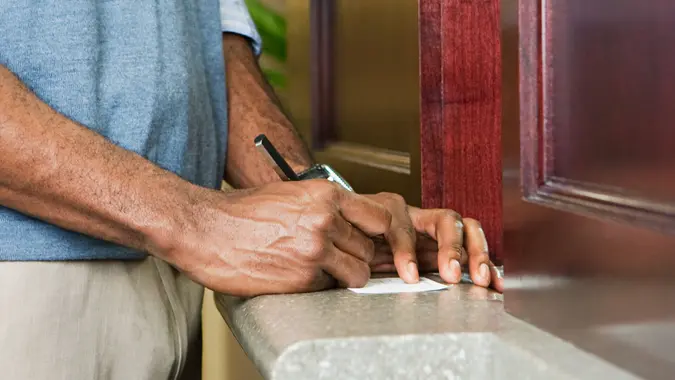
Endorsing a check means signing the back of it to authorize a bank or another party to process it. It’s a required step whether you’re depositing, cashing, or signing a check over to someone else — and doing it correctly helps avoid delays, rejections, or fraud.
What Does It Mean To Endorse a Check?
When you endorse a check, you’re giving the bank permission to process it on your behalf. You’ll need to endorse a check when you’re depositing it into your bank account, cashing it at a bank or check-cashing service, or signing it over to another person or business.
One thing worth noting: if you’re the one writing a check to someone else, you don’t need to endorse it. The person receiving it is the one who signs the back.
How Do You Endorse a Check?
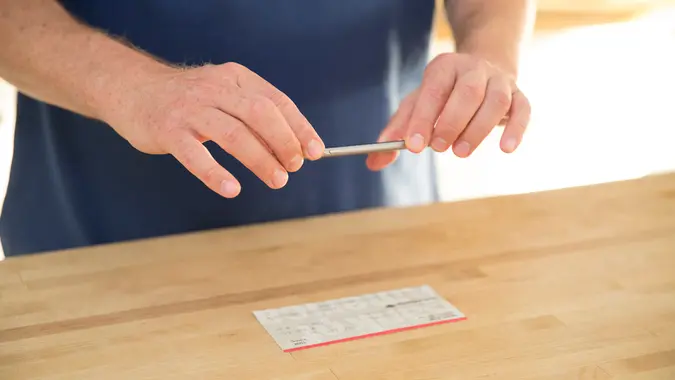
Endorsing a standard check is straightforward. Here’s how to do it:
- Find the endorsement area on the back of the check — it’s usually marked “Endorse Here” or “Do Not Write Below This Line”
- Verify the payee name on the front of the check matches your legal name
- Sign your name in blue or black ink exactly as it appears on the front of the check
- Deposit or cash the check according to your bank’s policies
One important tip: don’t endorse the check until you’re ready to deposit or cash it. If a signed check is lost, anyone could potentially cash it.
What Are the Different Types of Check Endorsements?
There are three main types of check endorsements, each suited to a different situation:
| Endorsement Type | How It Works | Best For | Risk |
|---|---|---|---|
| Blank | Sign your name only | Cashing in person | If lost, anyone can cash it |
| Restrictive | Write “For Deposit Only” + your account number, then sign | Depositing into your account | Cannot be cashed, only deposited |
| Third-Party | Write “Pay to the Order of [Name]” and sign below | Signing a check over to someone else | Not accepted by all banks |
How Do You Do a Blank Endorsement?
Simply sign your name on the endorsement line. This is the most common type and is typically used when cashing a check in person at a bank. Because it carries the most risk if lost, only use a blank endorsement right before you’re ready to hand it over.
How Do You Do a Restrictive Endorsement?
Write “For Deposit Only” followed by your bank account number, then sign your name below. This is the most secure option because it ensures the check can only be deposited into your account — it can’t be cashed by anyone else.
How Do You Sign a Check Over to Someone Else?
This is called a third-party endorsement. Write “Pay to the Order of [Recipient’s Full Name]” on the endorsement line, then sign your name underneath. The recipient can then deposit or cash the check as if it were made out to them.
Keep in mind that not all banks accept third-party checks, so it’s worth confirming with the recipient’s bank before going this route.
How Do You Endorse a Check for Mobile or ATM Deposit?
Mobile and ATM deposits are convenient, but some banks have specific endorsement requirements. Here’s what to do:
- Check your bank’s requirements first — many now require you to write “For Mobile Deposit Only” under your signature
- Sign your name as usual, then add “For Mobile Deposit Only” beneath it if required
- Follow your bank’s app instructions to photograph the front and back of the check clearly
After depositing, hold onto the physical check for a few days in case any processing issues come up.
How Do You Endorse a Check for Special Situations?
Some checks require a slightly different approach depending on who they’re made out to:
- Joint accounts. If a check is made out to two people using “AND” (e.g., John AND Jane Doe), both people must endorse it. If it says “OR,” only one signature is needed.
- Business checks. If the check is made out to a business, only an authorized signer for that business can endorse it. Include the business name along with your signature.
- Checks for a minor. A parent or legal guardian must sign on behalf of the minor. Some banks may require additional documentation, so check their policies in advance.
What Are Common Mistakes To Avoid When Endorsing a Check?
A few simple errors can cause your check to be delayed or rejected:
- Signing outside the endorsement area. Banks may refuse to process checks that are signed in the wrong place.
- Endorsing too early. A signed check that gets lost can be cashed by someone else. Wait until you’re ready to deposit or cash it.
- Using a nickname or abbreviation. Always sign exactly as your name appears on the front of the check.
- Not confirming third-party check policies. Some banks won’t accept checks signed over to another person — always verify first.
FAQ
- Can I use a nickname when endorsing a check?
- No, your signature must exactly match the name written on the check.
- What happens if I endorse a check in the wrong place?
- If signed outside the designated area, the bank may reject the check.
- Can a check be re-endorsed if there's an error?
- Some banks allow corrections, but it's best to check with your bank if there's an error you need to correct.
- Do banks require a specific pen color for endorsements?
- Use blue or black ink to ensure legibility and acceptance.
Caitlyn Moorhead, Cynthia Measom and Allison Hache contributed to the reporting for this article.
Editorial Note: This content is not provided by any entity covered in this article. Any opinions, analyses, reviews, ratings or recommendations expressed in this article are those of the author alone and have not been reviewed, approved or otherwise endorsed by any entity named in this article.
Our in-house research team and on-site financial experts work together to create content that’s accurate, impartial, and up to date. We fact-check every single statistic, quote and fact using trusted primary resources to make sure the information we provide is correct. You can learn more about GOBankingRates’ processes and standards in our editorial policy.
- Office of the Comptroller of the Currency "Check Fraud"