Understanding Direct Deposit: How It Works and How to Set It Up
 Written by
Rudri Bhatt Patel, CFHC™
Written by
Rudri Bhatt Patel, CFHC™
 Edited by
Nupur Gambhir, CFHC™
Edited by
Nupur Gambhir, CFHC™

Commitment to Our Readers
GOBankingRates' editorial team is committed to bringing you unbiased reviews and information. We use data-driven methodologies to evaluate financial products and services - our reviews and ratings are not influenced by advertisers. You can read more about our editorial guidelines and our products and services review methodology.

20 Years
Helping You Live Richer

Reviewed
by Experts

Trusted by
Millions of Readers
MDirect deposit is an electronic transfer of funds sent directly from a payer into your bank account — no paper check required. More than 95% of people in the U.S. receive their paycheck this way, according to an American Payroll Association survey. It’s faster, more secure, and more convenient than waiting for a physical check.
How Does Direct Deposit Work?
When you set up direct deposit, your payer sends funds electronically through the ACH network — the Automated Clearing House — which coordinates transfers between bank accounts. Once processed, the money lands directly in whichever account you designate.
You can direct your entire payment into one account or split it across multiple accounts. For example, you might send a portion of your paycheck to checking and a set percentage to savings automatically each pay period.
Funds are typically available the same day they’re deposited. Some banks and payment apps make the money available a day or two early, as soon as the deposit is received rather than after it fully processes.
What Can Direct Deposit Be Used For?
Direct deposit isn’t just for paychecks. Common uses include:
- Payroll. Receive your wages automatically each pay period without a trip to the bank.
- Government benefits. Social Security, disability payments, unemployment benefits, and tax refunds can all be received via direct deposit.
- Retirement and pension income. Payouts from 401(k)s, IRAs, and pension plans can be deposited directly into your account.
- Investment earnings. Dividends, capital gains, and other brokerage payments can be sent via direct deposit.
- Child support and alimony. Many states process these payments electronically for faster, more reliable delivery.
What Are the Benefits of Direct Deposit?
| Benefit | What It Means for You |
|---|---|
| Speed | Funds are available the same day — sometimes even earlier |
| Security | Eliminates the risk of checks being lost, stolen, or tampered with |
| Convenience | Payments arrive automatically — no waiting, no trips to the bank |
| Savings | Many banks waive monthly fees on accounts that receive regular direct deposits |
| Flexibility | Split your deposit across multiple accounts automatically |
| Eco-friendly | No paper checks means less waste |
How Do You Set Up Direct Deposit?
Setting up direct deposit takes just a few steps:
- Gather your banking information. You’ll need your bank name, account number, routing number, and account type (checking or savings).
- Get a direct deposit authorization form. Your employer’s HR department should have one. Some employers allow you to set it up through an online payroll portal.
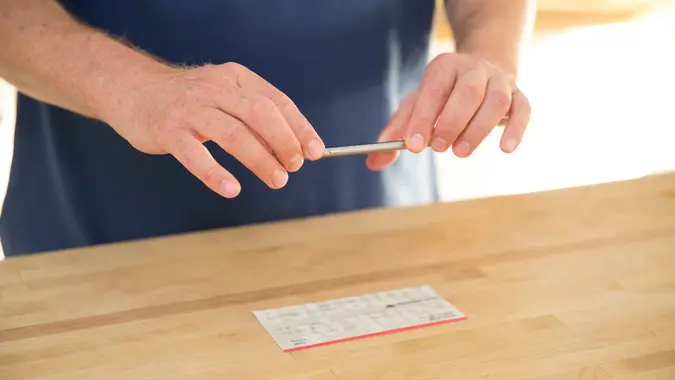
- Fill out the form. Enter your bank details, confirm the deposit amount, attach a voided check if required, and sign and date the form.
- Submit the form to your employer. Turn it in to your HR department or upload it through your employer’s payroll system.
- Monitor your first deposit. It may take one or two pay cycles before direct deposit kicks in. Keep an eye on your account to confirm the first payment goes through.
Is Direct Deposit Safe?
Yes. Direct deposit is one of the safest ways to receive money. Funds are transferred electronically directly into your account, eliminating the risk of a check being lost, stolen, or intercepted in the mail.
Financial institutions protect direct deposit transactions with end-to-end encryption, multi-factor authentication, and real-time fraud detection. The chances of funds being misdirected or stolen through the ACH network are extremely low.
What Accounts Can Receive Direct Deposit?
You don’t need a traditional bank account to use direct deposit. Eligible account types include:
- Checking and savings accounts
- Investment and brokerage accounts
- Some prepaid debit cards
- Payment apps like PayPal
What Are the Alternatives to Direct Deposit?
If direct deposit isn’t an option, here are three alternatives:
- Physical checks. A traditional paper check delivered by mail or in person. The main drawbacks are the risk of delays, loss, or theft — and the need to deposit it manually.
- Prepaid debit cards. Some employers load paychecks onto a prepaid debit card, which can be used for purchases, ATM withdrawals, and bill pay. Keep in mind that transaction fees may apply and transferring funds to another account can be difficult.
- Digital payment platforms. Services like PayPal and Venmo can be used by employers to send payments. You get immediate access to funds without needing a bank account, though these platforms may have sending and receiving limits.
Our in-house research team and on-site financial experts work together to create content that’s accurate, impartial, and up to date. We fact-check every single statistic, quote and fact using trusted primary resources to make sure the information we provide is correct. You can learn more about GOBankingRates’ processes and standards in our editorial policy.
- American Payroll Association. "Q2 What's more important to you, better health benefits or higher."
- Comcast Corporation. "Manage My Dividends - Investors."
- Duke Energy. "Individual Investor Information."
- Pension Benefit Guaranty Corporation. "PBGC Payment Dates."
- Fiscal.treasury.gov. "Direct Deposit (Electronic Funds Transfer)."
- IRS. "Tell IRS to Direct Deposit your Refund to One, Two, or Three Accounts."
- SSA.gov "Social Security Direct Deposit"
- American Bankers Association "ABA Routing Number"