How To Transfer Apple Cash to Your Bank Account
 Written by
Diane Fogle
Written by
Diane Fogle
 Edited by
Melanie Grafil, M.A., CHFC™
Edited by
Melanie Grafil, M.A., CHFC™
Commitment to Our Readers
GOBankingRates' editorial team is committed to bringing you unbiased reviews and information. We use data-driven methodologies to evaluate financial products and services - our reviews and ratings are not influenced by advertisers. You can read more about our editorial guidelines and our products and services review methodology.

20 Years
Helping You Live Richer

Reviewed
by Experts

Trusted by
Millions of Readers
Apple Cash makes it easy to send and receive money directly on your iPhone — but getting that money into your actual bank account takes a few extra steps. Whether you want a free standard transfer or need the funds right away, here’s exactly how to do it.
What Is Apple Cash?
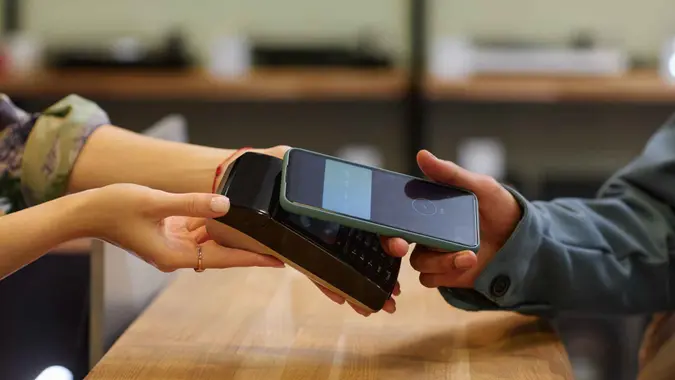
Apple Cash is a digital card that lives in your Apple Wallet. You can use it to send and receive money through the Messages or Wallet app, and spend it anywhere Apple Pay is accepted — online, in stores, or in apps. It’s free to have and comes pre-loaded on any iPhone.
The key difference from Venmo or Cash App: Apple Cash works like an actual card in your wallet, not just a payment app.
How To Transfer Apple Cash to a Bank Account (iPhone)
- Open the Wallet app on your iPhone
- Tap your Apple Cash card
- Tap the three-dot icon in the top right corner
- Tap “Transfer to Bank”
- Enter the amount you want to transfer ($1-$10,000)
- Tap “Next” and select Standard transfer
- Confirm the transfer to complete
Your money will arrive in 1-3 business days. Bank holidays may add extra time.
How To Transfer Apple Cash to a Bank Account (iPad)
- Open Settings
- Tap “Wallet & Apple Pay”
- Tap your Apple Cash card
- Tap “Transfer to Bank”
- Enter your amount, tap “Next”, and confirm
How To Transfer Apple Cash to a Debit Card Instantly
Need the money faster? You can transfer to a debit card and have funds available within 30 minutes — sometimes instantly.
First, Add Your Debit Card to Wallet if You Haven’t Already:
- Open the Wallet app and tap the “+” button
- Follow the on-screen steps to add your debit card
- Some card issuers may require you to verify your identity through their app or website
Then Transfer:
- Follow the same steps as a standard bank transfer
- When prompted, select “Instant Transfer” instead of standard
- Choose the debit card you want to transfer to and confirm
Heads Up
Instant transfers cost 1.5% of the transfer amount, with a minimum fee of $0.25 and a maximum of $15. If you can wait 1-3 days, the standard bank transfer is always free.
Apple Cash Transfer Limits and Fees
| Standard (Bank) | Instant (Debit Card) | |
|---|---|---|
| Speed | 1-3 business days | Within 30 minutes |
| Fee | Free | 1.5% (min. $0.25, max. $15) |
| Per transaction limit | $10,000 | $10,000 |
| Weekly limit | $20,000 | $20,000 |
Apple Cash Balance Limits:
- Standard account: $20,000 maximum
- Apple Cash Family (minors): $4,000 maximum
How Long Does an Apple Cash Transfer Take?
- Standard transfer: 1-3 business days. Bank holidays can extend this slightly.
- Instant transfer: Within 30 minutes. If funds haven’t arrived after 2 hours, contact Apple Support.
Apple Cash for Families
Minors can receive Apple Cash from adults set up in their Apple Cash Family account and use it anywhere Apple Pay is accepted. Age determines what transfer options are available:
- Under 13: Can only transfer Apple Cash to a bank account
- 13 and older: Can transfer to a bank account or eligible debit card
Alternatives To Apple Cash Transfers
If Apple Cash doesn’t fit your needs, these platforms are worth considering:
- Venmo — Free standard bank transfers, social feed interface, widely used for splitting bills and paying friends.
- Zelle — Bank-to-bank transfers with no fees, often integrated directly into your banking app. Fast and straightforward.
- PayPal — Broad acceptance, free standard transfers, works well for both personal payments and online purchases.
All three work across both iPhone and Android, which gives them an edge if the people you’re paying don’t use Apple devices.
Apple Cash vs. Apple Pay: What’s the Difference?
These two are easy to confuse, but they serve different purposes:
- Apple Cash is a digital card — a place to store money you’ve received from others. You can spend it, send it, or transfer it to your bank.
- Apple Pay is the payment system — the software that lets you use any card in your Wallet (including Apple Cash) to make contactless payments in stores, apps, and online.
Think of Apple Pay as the method and Apple Cash as one of the cards you can use with it.
The Fastest Way To Get Your Apple Cash Into Your Bank
Transferring Apple Cash to your bank account is free and takes just a few taps — the only trade-off is waiting 1-3 business days for the money to arrive. If you need it faster, the instant debit card transfer gets it there within 30 minutes for a small fee. For anyone already in the Apple ecosystem, it’s a seamless way to manage and move money without ever leaving your phone.
Apple Cash FAQ
Here are quick answers to some common questions about transferring Apple Cash to your bank account or debit card.- Can I transfer Apple Cash without a bank account?
- Yes, you can transfer Apple Cash to a Visa or Mastercard debit card instantly. This option will cost 1.5% of the transfer amount. If you wish to transfer to a bank account, it will take between one to three business days, though this option is free.
- Is there a fee for transferring Apple Cash?
- Yes. The fee is 1.5% of the transfer amount for transferring from Apple Cash to a Visa or Mastercard debit card with a minimum of 25 cents on the transaction and up to $15. The fee will be displayed before you finish the transfer.
- If you opt to transfer money from Apple Cash to a bank account, there are no fees.
- Why is my Apple Cash transfer pending?
- Your Apple Cash transfer may be pending because you or the other person has not verified the bank within Apple Cash. Transfers may be pending until the verification process has been completed. Apple Cash may also review transfers for security reasons or to protect against fraud. An instant transfer could be delayed if you’re having internet connectivity issues or there’s a problem with your debit card. You should expect most standard bank transfers to be completed between one to three business days. If your transfer still hasn’t been completed by then, you may need to contact Apple Support.
- What happens if I enter the wrong bank details?
- If you enter the wrong bank details in your Apple Cash transfer, the transaction may decline and you’ll receive the cash back to your balance. However, be wary if you enter the wrong details and they do transfer to a verified account. You should immediately contact your bank to let them know of the error and get your money returned to you. Apple is not able to reverse the transfer once the process has begun.
- Can I cancel an Apple Cash transfer after sending it?
- No. You cannot cancel an Apple Cash transfer. If the status still shows pending or the other person hasn’t yet accepted the funds, you may be able to contact Apple Support or get in touch with your bank to see if they can put a stop to the transaction, but there is no option at this time to cancel or reverse a transfer.
Virginia Anderson and Amber Barkley contributed to the reporting for this article.
Editorial Note: This content is not provided by any entity covered in this article. Any opinions, analyses, reviews, ratings or recommendations expressed in this article are those of the author alone and have not been reviewed, approved or otherwise endorsed by any entity named in this article.