Chase Cashier’s Checks: Fees, Limits and How To Get One
 Written by
Cynthia Measom
Written by
Cynthia Measom
 Edited by
Nupur Gambhir, CFHC™
Edited by
Nupur Gambhir, CFHC™

Commitment to Our Readers
GOBankingRates' editorial team is committed to bringing you unbiased reviews and information. We use data-driven methodologies to evaluate financial products and services - our reviews and ratings are not influenced by advertisers. You can read more about our editorial guidelines and our products and services review methodology.

20 Years
Helping You Live Richer

Reviewed
by Experts

Trusted by
Millions of Readers
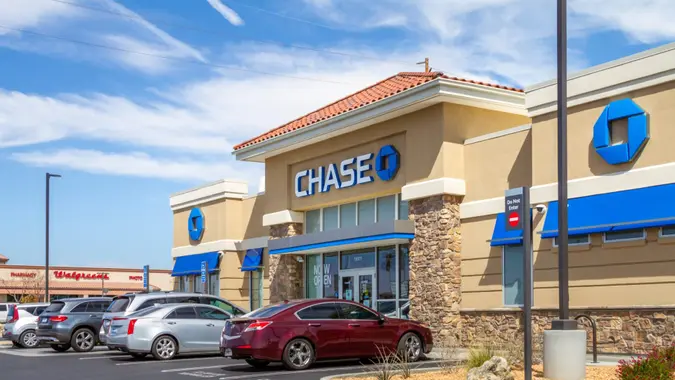
Chase charges $10 for a cashier’s check, though this fee is waived for customers with qualifying accounts. Cashier’s checks are drawn against Chase’s funds rather than your personal account — but only after the bank confirms you have enough money to cover the amount.
How Much Does a Chase Cashier’s Check Cost?
| Fee Type | Amount |
|---|---|
| Cashier’s Check Fee | $10 |
| Fee Waiver | Free for qualifying accounts (see below) |
| Cashier’s Check Limit | None |
| Replacement Fee | $10 (waived for eligible accounts) |
| Stop Payment (via Chase banker) | $30 |
| Stop Payment (via app or phone) | $25 |
The $10 fee is automatically waived for customers with the following accounts:
- Chase Secure Checking
- Chase Premier Plus Checking
- Chase Sapphire Checking
- Chase Private Client Checking
How Do You Get a Cashier’s Check From Chase?
Chase only issues cashier’s checks in person at a branch — they are not available through online banking. It’s worth calling your nearest branch ahead of time to confirm any specific policies before you go.
When you arrive, bring the following:
- A government-issued photo ID such as a driver’s license or passport
- Your account details for the account the funds will be drawn from
- The exact payment amount — you’ll need enough in your account to cover both the check amount and the fee
- The payee’s full name, spelled correctly — errors can delay processing or require the check to be canceled and reissued
Use the Chase branch locator to find the nearest location before heading out.
Is There a Limit on Chase Cashier’s Checks?
No. Chase does not set a maximum amount for cashier’s checks. According to Chase’s deposit account agreement, cashier’s checks are available in any amount.
How Long Does a Chase Cashier’s Check Take To Clear?
Chase cashier’s checks are designed to clear faster than personal checks. In most cases, the full amount is available to the recipient by the next business day.
What Are the Alternatives to a Chase Cashier’s Check?
If a cashier’s check isn’t the right fit for your transaction, here are four other options to consider:
- Money order. Like a cashier’s check, a money order is prepaid and won’t bounce. It’s easier to obtain — no bank account required — and available at post offices, banks, and retailers. The main drawback is a $1,000 limit per money order, which means large transactions require multiple orders.
- Certified check. Similar to a cashier’s check in that the bank verifies funds before issuing it, but a certified check is drawn directly from your account rather than the bank’s. The bank earmarks the funds to ensure they’re available when the payee cashes it.
- Wire transfer. Offers the same level of guaranteed funds as a cashier’s check, but sends money electronically between banks instead of using a physical document. Wire transfers often clear the same day, making them a popular choice for real estate closings and other large transactions. They do tend to carry higher fees, especially for international transfers.
- P2P payment apps. Apps like Zelle, Venmo, Cash App, and PayPal offer instant digital transfers that can be more convenient for smaller payments. That said, most have sending limits that make them impractical for large transactions, and payments are difficult to cancel or reverse if you send to the wrong person.
FAQ
Here are the answers to some of the most frequently asked questions regarding Chase cashier's checks.- Does Chase issue cashier's checks for non-customers?
- No. To get a cashier's check from Chase, you'll first need to open an account.
- Can I cancel a Chase cashier's check?
- Chase may allow you to place a stop payment if the check is lost, stolen or destroyed, but you must provide a sworn statement in a form the bank deems acceptable. Stop payment fees may apply.
- Even if the stop payment request is approved, Chase may still honor the check if it’s presented for payment, which means you would still be liable for the amount.
- What happens if I lose my cashier's check?
- If you lose your cashier's check, you can provide a sworn statement to Chase that it was lost and the bank may allow you to place a stop payment on the check. However, it may ask you for an indemnity bond, which is basically an insurance policy for the bank's funds that guarantee the check. Also, there's a risk that Chase may still cash the check if it's presented for payment and you would be liable for the amount.
- Is a cashier's check safer than a personal check?
- A cashier's check, especially one from a well-established institution like Chase, comes with the full reputation of the bank behind it.
- Before issuing a cashier's check, the bank will withdraw the specified amount from your account and reserve it for payment to the person named as the payee on the check.
- This makes it impossible for the check to bounce, as it's essentially already been paid for, and the money has already been set aside.
- Can I get a cashier's check from Chase on the same day?
- Yes. You can get a cashier's check from Chase on the same day, as long as your Chase account has enough funds to cover it.
- Do I need a Chase account to get a cashier's check?
- Yes. You must have a Chase banking account to get a cashier's check from Chase.
More About Chase Bank
- Chase Bank Review
- Chase CD Rates
- Chase Savings Account Interest Rates
- Chase Bonus Offers and Promotions
- Chase Bank Hours
Kristopher Kane contributed to the reporting for this article.
Data is accurate as of April 2, 2026, and is subject to change.
J.P. Morgan Wealth Management is a business of JPMorgan Chase & Co., which offers investment products and services through J.P. Morgan Securities LLC (JPMS), a registered broker-dealer and investment adviser, member FINRA and SIPC. Insurance products are made available through Chase Insurance Agency, Inc. (CIA), a licensed insurance agency, doing business as Chase Insurance Agency Services, Inc. in Florida. Certain custody and other services are provided by JPMorgan Chase Bank, N.A. (JPMCB). JPMS, CIA and JPMCB are affiliated companies under the common control of JPMorgan Chase & Co. Products not available in all states.
INVESTMENT AND INSURANCE PRODUCTS: • NOT A DEPOSIT • NOT FDIC INSURED • NOT INSURED BY ANY FEDERAL GOVERNEMENT AGENCY • NO BANK GUARANTEE • MAY LOSE VALUE
Editorial Note: This content is not provided by Chase. Any opinions, analyses, reviews, ratings or recommendations expressed in this article are those of the author alone and have not been reviewed, approved or otherwise endorsed by Chase.
Our in-house research team and on-site financial experts work together to create content that’s accurate, impartial, and up to date. We fact-check every single statistic, quote and fact using trusted primary resources to make sure the information we provide is correct. You can learn more about GOBankingRates’ processes and standards in our editorial policy.