How To Open a TD Bank Account Online or In Person
 Written by
Rudri Bhatt Patel, CFHC™
Written by
Rudri Bhatt Patel, CFHC™
 Edited by
Joe Evans, CFHC™
Edited by
Joe Evans, CFHC™
Commitment to Our Readers
GOBankingRates' editorial team is committed to bringing you unbiased reviews and information. We use data-driven methodologies to evaluate financial products and services - our reviews and ratings are not influenced by advertisers. You can read more about our editorial guidelines and our products and services review methodology.

20 Years
Helping You Live Richer

Reviewed
by Experts

Trusted by
Millions of Readers
Opening a TD Bank account is usually a quick process if you have the right information ready.
For personal checking and savings accounts, TD says you generally need your Social Security number, a government-issued ID, a funding source from an existing bank account and a phone number, and you can usually open an account online by choosing an account and clicking “Open in minutes.”
In most cases, TD doesn’t require a minimum opening deposit for personal checking or savings accounts at the time you open them. But it may automatically close the account if you don’t fund it within 45 days, so opening the account is only the first step. You still need to put money in it.
Quick Answer: What You Need To Open a TD Bank Account
If you want the short version, here is what you typically need:
- Social Security number
- Government-issued ID
- Phone number
- Funding source, like an existing bank account for the opening deposit or transfer
- The account you want to open, like checking or savings
Then you choose the account, complete the application online or in person and fund the account before TD’s 45-day window closes.
What You Need To Open a TD Bank Account
TD keeps the requirements fairly straightforward for personal deposit accounts. To open a TD checking account online, the bank says you need your Social Security number, government-issued ID, source of funds and phone number. TD lists the same general requirements for personal savings accounts.
That means you should have your driver’s license or other ID nearby, know your personal information exactly as it appears on official documents and be ready to link another bank account or provide funding information.
Getting those details ready before you start can make the application faster and reduce the chance of errors.
Step-by-Step: How To Open a TD Bank Account
Let’s break down how to open a TD bank account of your own:
1. Choose the Right TD Account
Before you apply, decide whether you want checking, savings or both.
For checking, TD’s main personal lineup currently includes TD Complete Checking, TD Beyond Checking and TD Essential Banking. TD Complete Checking carries a $15 monthly maintenance fee that you can waive in three ways, including $500 or more in direct deposits per statement cycle, a $500 minimum daily balance or a $5,000 combined minimum daily balance across eligible linked accounts. TD Essential Banking has a $4.95 monthly fee, no minimum balance requirement and no minimum deposit to open.
For savings, TD’s current personal options include TD Simple Savings and TD Signature Savings. TD says there’s no minimum opening deposit for either one, but the account may close automatically if you don’t deposit within 45 days.
2. Gather Your Information
Once you know which account you want, collect the information TD asks for before you begin. That usually includes your Social Security number, government-issued ID, funding source and phone number.
If you are opening a joint account, make sure the other applicant is also ready with their personal details.
TD’s help center highlights joint accounts as a common option for customers who want to manage money together, so having both people present can speed up the process.
3. Apply Online or Visit a TD Store
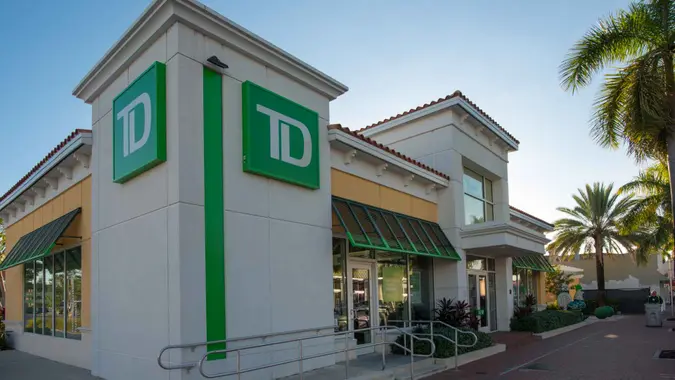
TD says you can open many personal accounts online by selecting the account and clicking “Open in minutes.” If you prefer in-person help, TD also lets you find a store or book an appointment with a banking specialist.
Opening online is usually the faster choice if your application is simple.
Visiting a branch can help if you want to ask questions, open a joint account with extra guidance or compare account features with a banker before deciding.
4. Fund the Account
TD says personal checking and savings accounts don’t require a minimum opening deposit at the time you apply. Still, the bank says it may close the account automatically if you don’t fund it within 45 days.
That makes funding the account an important final step. Even if you start with a small amount, you should plan to deposit money shortly after approval so the account stays active.
5. Enroll in Online Banking
After TD opens your account, you can enroll in Online Banking. TD’s website links customers to enrollment and login tools, and the bank says its digital services let you pay bills, send money with Zelle®, check balances, view history and deposit checks with TD Mobile Deposit.
That is worth doing right away because it makes it easier to monitor your new account, set up direct deposit and manage routine banking tasks without visiting a branch.
Can You Open a TD Bank Account Online?
Yes. TD says you can open eligible personal checking and savings accounts online, and its site specifically directs customers to click “Open in minutes” to start the process.
TD’s help center also links to a tutorial on how to open a TD Bank checking account online, which reinforces that online opening is a standard path for personal customers.
How Much Money Do You Need To Open a TD Bank Account?
For most standard personal checking and savings accounts, TD says you don’t need a minimum opening deposit at account opening. But if you leave the account unfunded for 45 days, TD says it may close it automatically.
That means the more useful question isn’t “What is the minimum to open?” but “What do I need to keep the account useful and affordable?”
For example, TD Complete Checking waives its monthly fee if you meet one of the balance or direct-deposit thresholds, while TD Essential Banking offers a lower-fee option if you want a simpler account with no minimum balance requirement.
What Happens After You Open the Account?
Once your account is active, you can set up the tools that make it useful day to day.
Most people will want to:
- Enroll in online banking
- Download the TD Bank app
- Set up direct deposit
- Link external accounts
- Add the debit card to a digital wallet
- Set up bill pay or alerts
TD says customers can use digital tools to pay bills, send money, deposit checks and manage accounts 24/7, so taking a few minutes to finish setup can save time later. TD also says TD Mobile Deposit funds are usually available the next business day, which can make the app especially useful after you open the account.
Is It Better To Open a TD Checking or Savings Account First?
If you need an account for paychecks, debit card spending and bill payments, checking usually makes more sense as the first account. If your goal is building an emergency fund or separating savings from everyday spending, savings may be the better starting point.
In practice, many people benefit from opening both. TD markets checking and savings together in several account bundles and also waives fees on some linked savings setups, so pairing the two can make account management easier and sometimes cheaper.
Final Take to GO
Opening a TD Bank account is usually simple: choose the account, gather your ID and personal information, apply online or in a branch and fund the account before the 45-day deadline. TD says most personal checking and savings accounts do not require a minimum opening deposit, which lowers the barrier to getting started.
The bigger decision is choosing the right account for how you actually bank. If you want a basic low-fee option, TD Essential Banking may fit better. If you want more flexibility and can meet waiver requirements, TD Complete Checking may offer more value. Either way, the easiest path is to gather your documents first, apply through TD’s official site and finish your funding and online banking setup right away.
How To Open a TD Bank Account FAQ
- What do you need to open a TD Bank account?
- For most personal checking and savings accounts, TD says you need your Social Security number, a government-issued ID, a funding source and a phone number. Additional information may be required depending on the application.
- Can you open a TD Bank account online?
- Yes. TD says you can open eligible checking and savings accounts online by choosing the account and clicking “Open in minutes” on its official website.
- How much money do you need to open a TD Bank account?
- TD says most standard personal checking and savings accounts do not require a minimum opening deposit at account opening. But the bank may close the account automatically if you do not fund it within 45 days.
- Can you open a TD Bank account in person?
- Yes. TD lets customers find a nearby store or book an appointment with a banking specialist, which can help if you want in-person guidance or need help choosing the right account.
- Which TD Bank checking account is easiest to open?
- TD does not present one personal checking account as easier to open than another, but TD Essential Banking may appeal to people who want a low monthly fee and no minimum balance requirement, while TD Complete Checking may work better for people who can meet one of the fee-waiver options.
More About TD Bank
- TD Bank Review
- TD Bank CD Rates
- TD Bank Savings Account Interest Rates
- TD Bank Hours
- TD Bank Routing Numbers
Information is accurate as of April 2, 2026.
Editorial Note: This content is not provided by any entity covered in this article. Any opinions, analyses, reviews, ratings or recommendations expressed in this article are those of the author alone and have not been reviewed, approved or otherwise endorsed by any entity named in this article.
Our in-house research team and on-site financial experts work together to create content that’s accurate, impartial, and up to date. We fact-check every single statistic, quote and fact using trusted primary resources to make sure the information we provide is correct. You can learn more about GOBankingRates’ processes and standards in our editorial policy.
- TD Bank "Online Banking"
- TD Bank "Online Checking Account"
- TD Bank "My TD Online Portal"
- TD Bank "Branch Locator"
- TD Bank "Checking Accounts"
- TD Bank "How to Choose a Savings Account"
- TD Bank "Help Center"
- TD Bank "Open a TD Bank Checking Account online"